


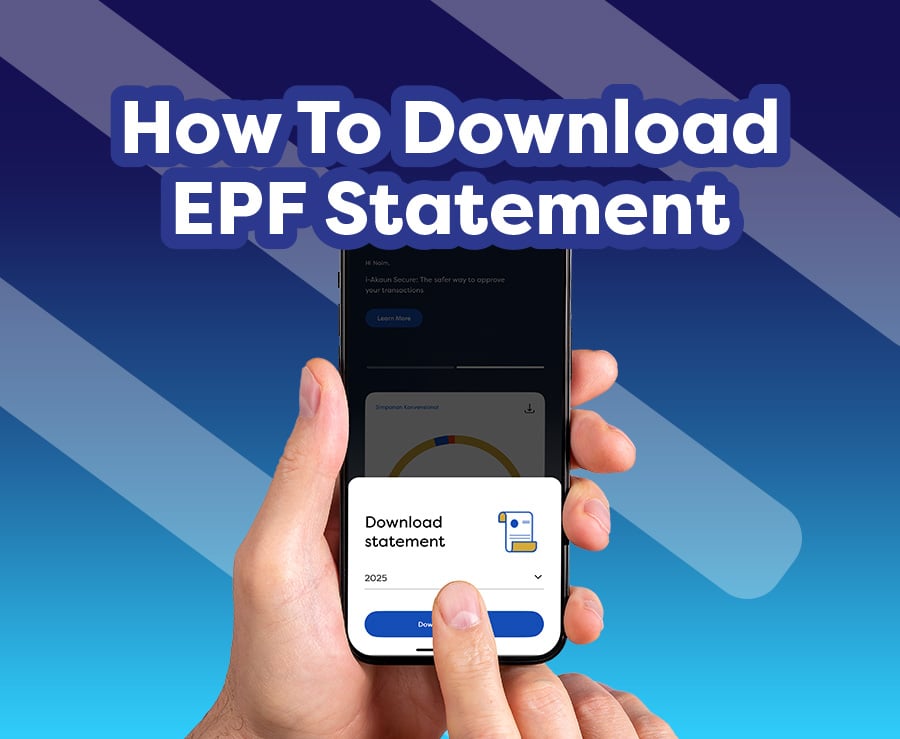
You can view and download your EPF statement via the KWSP i-Akaun app or the i-Akaun (Member) web portal.
Statements are available for the recent 6 years only, including the current year. For example, if the current year is 2026, only statements from 2021 to 2026 are accessible.
Download your EPF statement via the KWSP i-Akaun App
Downloading your EPF statement is now easier than ever—right at your fingertips with the KWSP i-Akaun app. Ensure you have downloaded and logged in to the KWSP i-Akaun app. If you haven’t yet, click the button below to download it now.
Once installed, enter your i-Akaun password and tap ‘Log In Now’. If you have enabled biometric login, use this option for faster access.
There are two (2) ways to access your statement in the KWSP i-Akaun app via the Home tab or the Savings tab.
Option 1: From the Home Tab
- Tap the download icon in the account summary section on the app’s home screen.
- Select the year of the statement you require, then tap on the ‘Download statement’ icon
- The statement will be displayed and can be downloaded to your device by tapping the share icon
Option 2: From the Savings Tab
- Go to the ‘Savings’ tab in the app’s main menu
- Tap ‘View Details’ in the account summary section
- The account details page will appear. Next, tap the download icon
- Select the year of the statement you want, then tap on 'Download statement'.
- The statement will be displayed. You can download it by tapping the share icon.
*Note: The display may vary between iOS, Android and Huawei devices.
Download your EPF statement via the i‑Akaun Web Portal (Member)
If you prefer a larger display — such as on a laptop or desktop — the i‑Akaun web portal (Member) is ideal. You can also access it from any other device, including smartphones or tablets. The portal’s responsive interface ensures a neat, user‑friendly experience regardless of screen size, allowing you to view or download your EPF statement comfortably, wherever and whenever you choose.
- Visit the i-Akaun (Member) web portal:
https://iakaun.kwsp.gov.my/portal/member/login
- Enter your i-Akaun user ID and password, then click ‘Log In Now’
- On the homepage, click the download icon in the account summary section
- Select the statement year and click ‘Download’
- The statement will be displayed. Next, click the download icon to save the statement to your device.
What is an EPF statement?
An EPF statement is an official document that provides an overview of your retirement savings with the Employees Provident Fund (EPF). It contains detailed information about your financial activity within your EPF account, including EPF account balances, contributions, dividends, and withdrawals.
Important information included in the statement may cover:
- Personal and membership details – including your name, EPF member number, identification document number, employer number, savings option (Simpanan Konvensional or Simpanan Shariah), correspondence address, and the date the statement was generated.
- Savings balance – displays the opening balance for the year, and the closing balance as at 31 December for previous years. For the current year, the closing balance reflects the latest available month in the statement.
- Annual dividends – the total dividends declared for the previous year and credited to your account in the current year.
- Annual contributions – the total yearly contributions made to your EPF account, including those from your employer, yourself (employee or self-employed), and any additional voluntary contributions.
- Savings breakdown – the respective saving balances in your EPF accounts (which are Akaun Persaraan, Akaun Sejahtera and Akaun Fleksibel if you are below 55 years old; Akaun 55 and Akaun Emas once you have reached 55 years old and above).
- Withdrawal information – if applicable, this includes the amount, date, and type of each withdrawal made such as education, housing, healthcare, Hajj, retirement at ages 50, 55, or 60 from the Akaun Fleksibel.
- Adjustments and outstanding contributions – reflects any changes or delayed payments by the employer, if any.
- Effective date of Simpanan Shariah election – the date from which your EPF savings are managed and invested according to syariah principles, effective from the 1st of the month following your election date, subject to a seven (7) day grace period.
Why is it important to check your EPF statement?
This statement helps you to:
- Track your savings balance and assess its progress towards your retirement goals
- Plan your finances and retirement strategy with more confidence
- Ensure that your employer's contributions are made accordingly and in timely manner
- Take early action if there are any errors or delays in payments
What if I’m new to registering as an EPF member?
If you’re registering as a member for the first time, click here for details of the registration process details and here to learn how to begin saving for your future.
Read also: How To Register EPF Account Online?
Are there other ways to get the EPF statement?
Aside from online methods, you can also obtain your EPF statement through the following alternatives:
- Self-Service Terminal (SST)
To request your statement instantly, simply scan your MyKad or MyPR and verify your thumbprint at any Self-Service Terminal (SST). The statement will be sent to your registered email address. Ensure your email is accurate and up to date — if it isn’t, you can update it directly at the SST.
- EPF Office
Visit any EPF office and check your statement at the counter. Be sure to bring your identification documents for verification purposes.
How can I request a statement older than 6 years?
If you need an EPF statement more than 7 years, you will need to apply in person at the nearest EPF office and bring the following documents:
- A copy of your identification document (MyKad/ MyPR/ Passport)
- Supporting documents from an agency or third party clearly stating the need for the member’s statement, such as a letter from LHDN, SOCSO, a court order, or other relevant official documents
Reviewing your EPF statement is a key step in planning your finances and preparing for retirement. With multiple channels available, you can check and download your statement easily, quickly, and securely. Be sure to regularly monitor your retirement savings to ensure a more secure financial future.