


Saving money every month isn’t easy and can often feel challenging. With the demands of daily life, many of us struggle to save consistently. Sometimes we forget, don’t have the time, our salary hasn’t come in yet, or monthly commitments are simply too high. Others wait until they have ‘extra money’ before starting to save. When this happens repeatedly, savings become irregular and difficult to grow.
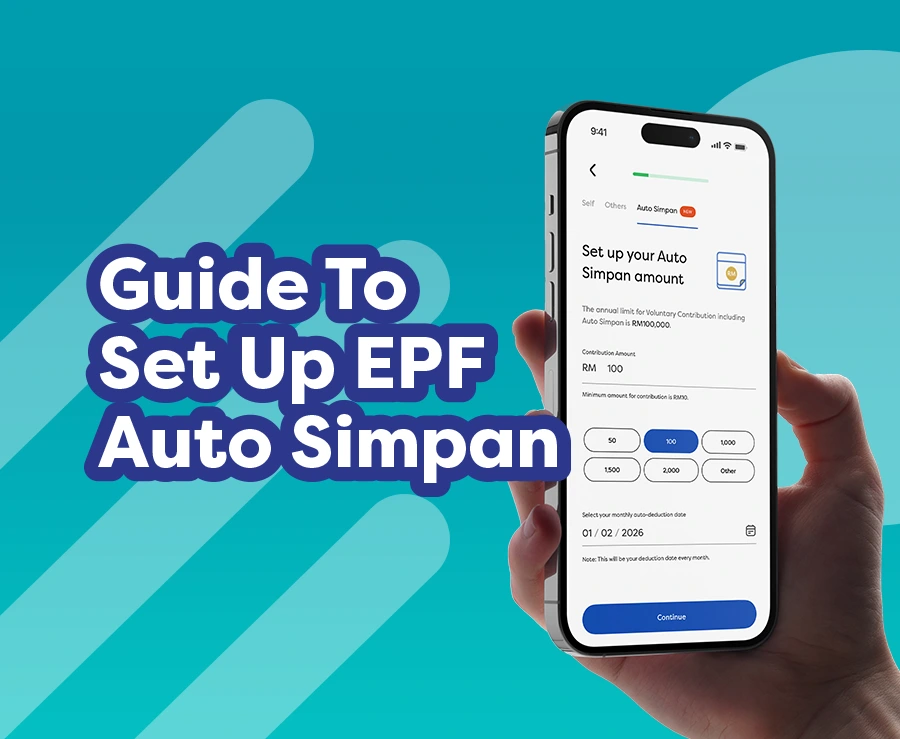
To help you build a more disciplined saving habit, EPF has introduced Auto Simpan. This feature, available via i-Akaun (Member), is designed to help you manage voluntary contributions in a more structured and automated way.
What is Auto Simpan?
Auto Simpan is an enhanced feature under ‘Increase Savings’, available on the KWSP i-Akaun app and i-Akaun (Member) web portal. Using DuitNow Autodebit, it allows members to set up automatic, recurring monthly voluntary contributions with ease.
With this feature, you no longer need to make manual transactions every month. Instead, your savings will be debited automatically based on the amount and date you choose.
Auto Simpan is ideal for you if you:
- Want to ensure your retirement savings grow consistently.
- Have a busy daily schedule and often forget to set aside savings.
- Wish to practise the ‘pay-yourself-first budgeting’ approach.
What types of voluntary contributions can be set up using Auto Simpan?
You can use the Auto Simpan feature for the following three categories of voluntary contributions:
*Subject to EPF’s terms and conditions
Don’t have the KWSP i-Akaun app yet?
Don’t worry! Download the latest version of the KWSP i-Akaun app today to start using the Auto Simpan feature.
How do I register for and activate Auto Simpan?
You can easily register for and activate Auto Simpan through the channel that is most convenient for you. The process is simple and quick — it takes less than 5 minutes!
a) Via the KWSP i-Akaun App
b) Via the i-Akaun (Member) Web Portal
The steps to register and activate Auto Simpan are the same as in the KWSP i-Akaun app, just on a larger screen.
Log in to the i-Akaun (Member) web portal here: https://iakaun.kwsp.gov.my/portal/member/login
Read also: EPF Account Registration At Your Fingertips
What I need to know about Auto Simpan
1. How can I check the status of my Auto Simpan registration?
You can check your Auto Simpan status via the KWSP i-Akaun app or the i-Akaun (Member) web portal by following these simple steps:
- Go to the ‘Profile’ menu.
- Select ‘Auto Transactions’.
- Choose ‘Auto Simpan Records’.
If your registration is successful, you will receive a notification and a message in your i-Akaun ‘Inbox’.
2. Can I change the amount or debit date after registering for Auto Simpan?
No, you cannot. If you wish to change the amount or debit date, you will need to cancel your existing Auto Simpan and register again with the new details via the KWSP i-Akaun app or the i-Akaun (Member) web portal.
3. Will Auto Simpan continue if my bank account balance is insufficient?
The transaction will not go through if your account balance is insufficient on the scheduled date. However, you can still make a contribution manually at any time using the ‘Increase Savings’ feature by selecting ‘Self’.
4. Will I be charged for using Auto Simpan?
No. There are no charges for using Auto Simpan.
5. Do I need a specific bank account to use Auto Simpan?
Yes. You may choose from the following banks during the Auto Simpan registration process:
- RHB;
- AmBank;
- Maybank;
- CIMB Bank;
- Bank Islam Malaysia Berhad;
- Bank Muamalat Malaysia Berhad;
- Hong Leong Bank Berhad.
Note: The list of participating banks will be updated from time to time. Please click here to check the latest list.
6. How can I stop Auto Simpan if I no longer wish to continue the automatic deductions?
You can cancel an active Auto Simpan at any time via the KWSP i-Akaun app or the i-Akaun (Member) web portal using either of the following methods:
a) Via the Savings menu:
- Go to the ‘Savings’ menu.
- Select the ‘Increase savings’ card.
- Choose ‘Auto Simpan’> ‘View details’> ‘Cancel Auto Simpan’.
b) Via the Profile menu:
- Go to the ‘Profile’ menu.
- Select ‘Auto Transaction’ > ‘Auto Simpan Records’ > ‘Cancel Auto Simpan’.
Save without stress, grow automatically
With Auto Simpan, you no longer need to worry about forgetting to save or waiting until you have ‘extra money’ to put aside. Make saving a simple, automatic, and consistent part of your monthly routine.
Whether you are a gig worker, a homemaker, or someone looking to boost your retirement savings, registering and activating Auto Simpan is an easy, smart step towards a more secure financial future.